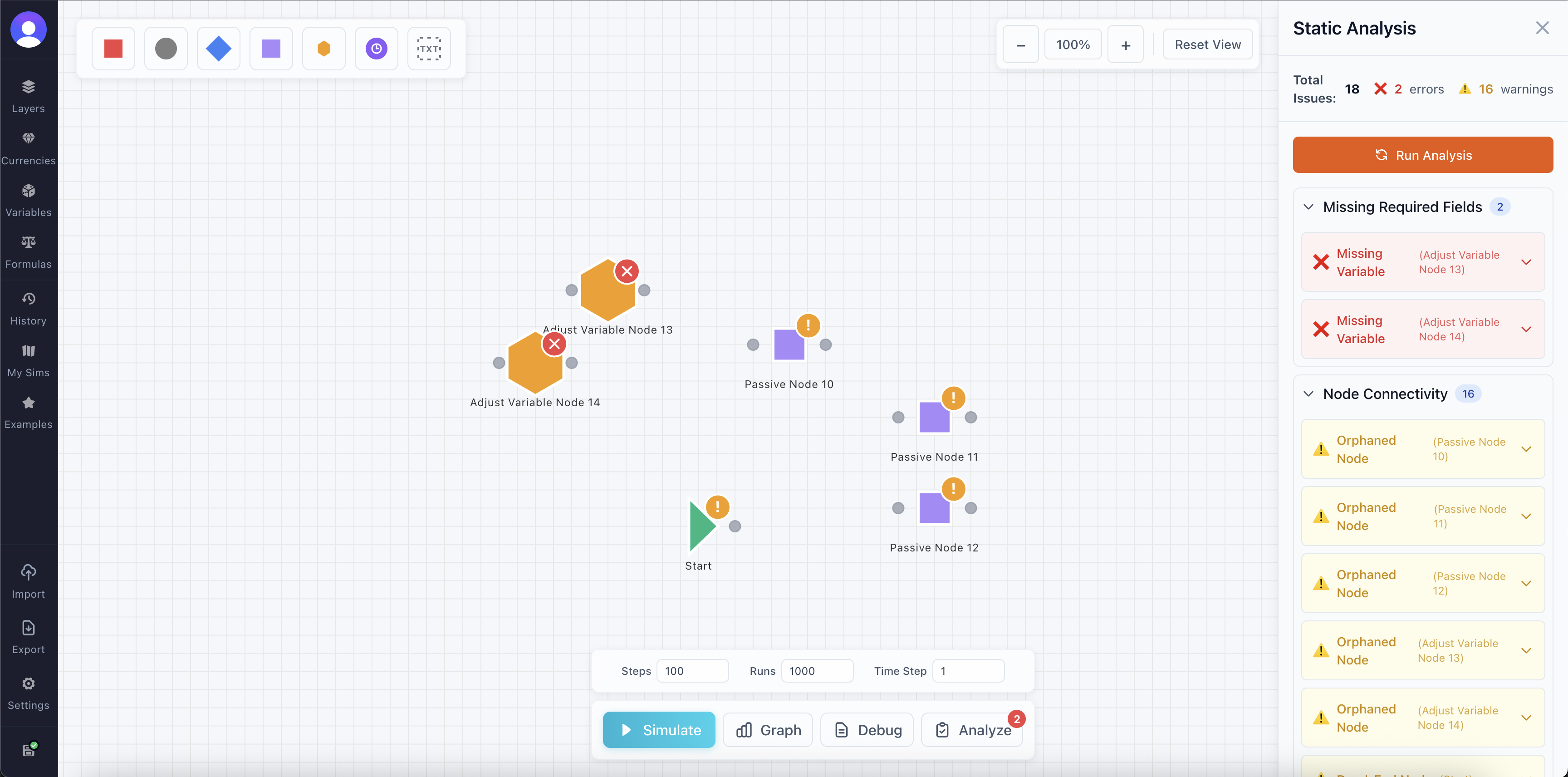
Analysis is done every time you press simulate to ensure your configuration is the best it can be. It detects all sorts of issues and if severe enough, will point them out to you and potentially block the simulation until the issue is resolved.
Clearing Warnings and Errors
To clear any warnings and errors, simply run the analyzer again so it can verify everything is in order, this can be done by clicking the Analyze button or starting a new simulation. This will prevent it from flagging nodes and components as you're working.
Problematic Nodes
The nodes that are causing the problem are visible in the canvas as well, as they get tagged by a warning or error icon, allowing you to quickly identify the potential problematic node. The Analyzer can also help you by providing the exact details and even a shortcut to the problematic node, simply open up a warning or error to see it.
Types of Warning and Errors
This is a list of all potential issues it checks for and how to resolve them.